dstl8
Dstl8



Dstl8 continuous runtime feedback distills, detects, correlates, and explains problems to keep you out of debug rabbit holes. Context streams back into Claude Code, Cursor, and your dev flow. Always-on monitoring surfaces patterns, anomalies, and incidents across your full deployment chain: Supabase, Vercel, Railway, AWS, Kubernetes, OpenTelemetry, and more. Powered by Möbius agents, MCP server, and the Dstl8 CLI.
Try the Dstl8 CLI and TUI for Dstl8 continuous runtime feedback loops. Get incidents, runtime context, log patterns, debug runtime issues, and connect AI agents to your infrastructure, all from the terminal.
Quick start
Install the CLI, then run the guided setup — it walks you through everything else:
# 1. Install the CLI
brew install control-theory/dstl8/dstl8

# 2. Guided onboarding: account, MCP install, sources, dashboard
dstl8 setup
dstl8 setup is the fastest path. It creates (or detects) your account, installs the MCP server into your AI coding agents, auto-detects data sources on your machine, and opens the dashboard. Every step is optional — skip any with :skip and run it later.
Prefer to do it by hand? Run the steps individually:
dstl8 signup                # create a Dstl8 account (or `dstl8 login` if you have one)
dstl8 sources add vercel    # add a source so logs flow in
dstl8 install claude-code   # connect your AI agent
Once MCP is connected, your AI agent can investigate incidents, query logs, and analyze patterns through Dstl8 directly.
Guided setup
dstl8 setup runs the full onboarding flow end-to-end. Each step is optional — press Enter to accept the default, or type :skip at any prompt to move on.
dstl8 setup
| Step | What it does |
|---|---|
| 1. Account | Creates your account via GitHub or browser signup (skipped if you’re already logged in) |
| 2. AI agent integration | Installs the Dstl8 MCP server into detected AI coding agents (Claude Code, Codex, Cursor, and more) |
| 3. Data sources | Auto-detects sources on your machine — Kubernetes contexts, AWS credentials, Vercel/Supabase/GitHub configs — and sets up the ones you pick |
| 4. Explore | Opens the interactive TUI or the web dashboard |
Your organization comes preloaded with demo data, so there’s something to explore right away. Re-run dstl8 setup anytime to pick up steps you skipped, or run dstl8 tui to open the dashboard directly.
Install
Pick the option that matches your environment. Each installs the same dstl8 binary.
| Method | Command |
|---|---|
| Homebrew (macOS / Linux) | brew install control-theory/dstl8/dstl8 |
| Shell installer | curl -fsSL https://install.dstl8.ai/script/dstl8-cli \| sh |
| npm | npm install -g dstl8 (or npx dstl8) |
| Nix | nix profile install github:control-theory/dstl8 |
| Manual | Download from GitHub Releases |
The shell installer accepts DSTL8_VERSION=0.2.0 to pin a version and DSTL8_INSTALL_DIR=~/.local/bin for a custom location. Uninstall with:
curl -fsSL https://install.dstl8.ai/script/dstl8-cli | sh -s -- --uninstall
Verify with dstl8 version.
Claude Desktop (MCP extension)
Download dstl8.mcpb from the latest release and double-click to install. Requires the dstl8 CLI installed and authenticated.
Claude Code plugin and skill
This repo contains a Claude Code plugin with a guided setup and investigation skill. To install:
/plugin marketplace add control-theory/dstl8
/plugin install dstl8@dstl8
The plugin auto-registers the MCP server. The skill walks Claude through CLI install, source configuration, and investigation flows. See skills/dstl8/ for the skill content.
Sign up and sign in
dstl8 signup                    # new account; GitHub-first, creates a Default workspace
dstl8 signup --method browser   # use the web signup flow instead of GitHub
dstl8 signup --no-github        # skip GitHub, fall back to browser signup
dstl8 login                     # existing account or new device
dstl8 login --session <token>   # log in with a session token from the web UI (no browser)
dstl8 profiles                  # list profiles; ► marks the active one
dstl8 switch <profile>          # change the active profile
dstl8 logout                    # log out of the current profile
dstl8 signup defaults to GitHub authentication (--method gh) and automatically falls back to the device/browser flow when needed. Pass --method device or --method browser to choose explicitly.
On first run the CLI exchanges the browser session for a long-lived API token (365 days) stored under ~/.config/dstl8/. Multiple profiles for different organizations are supported.
Add sources
dstl8 sources add is an interactive wizard for every source type. It auto-detects local config (~/.aws/credentials, ~/.kube/config, vercel.json, supabase/config.toml, .git/config) and pre-fills sensible defaults.
dstl8 sources add kubernetes
dstl8 sources add cloudwatch
dstl8 sources add vercel
dstl8 sources add supabase
dstl8 sources add otlp
dstl8 sources add github
For pull-based sources (kubernetes, cloudwatch), the CLI verifies the connection before exiting. For webhook-based sources (vercel, supabase, otlp, github), the wizard prints a webhook URL and any auto-generated tokens. Paste those into the upstream provider to complete the setup.
After a source is created, the CLI assigns it to a workspace so its logs start showing up: it auto-assigns when you have a single workspace, and shows a picker when you have several. dstl8 setup uses this same flow when you set up detected sources.
For scripted setups, pass --yes with the relevant flags to skip prompts:
dstl8 sources add cloudwatch --yes \
  --name prod-cw \
  --aws-access-key-id AKIA... \
  --aws-secret-access-key ... \
  --aws-region us-east-1

dstl8 sources add kubernetes --yes \
  --name prod-k8s \
  --cluster-name my-cluster \
  --environment production
Confirm logs are flowing:
dstl8 sources           # source listed and ingesting
dstl8 logs fetch -n 5   # recent log lines
Type aliases: cloudwatch/aws → aws_cloudwatch, k8s → kubernetes, gh → github, opentelemetry → otlp.
Connect AI agents (MCP)
dstl8 install auto-detects MCP-compatible clients on your machine and configures them. The MCP server uses your local dstl8 credentials automatically. No additional configuration is needed.
dstl8 install                         # interactive picker
dstl8 install --all                   # install to every detected client
dstl8 install claude-code             # install to a specific client
dstl8 install status                  # see what's installed where
dstl8 install list                    # list all supported targets
dstl8 install --dry-run               # preview without writing
dstl8 install --project               # project-scoped instead of user-scoped
dstl8 install --include-experimental  # include cursor, windsurf
dstl8 install emit --format json      # print the config block for manual install

dstl8 uninstall claude-code           # remove from a specific client
dstl8 uninstall --all                 # remove from every client
Supported clients:
| Client | Install command |
|---|---|
| Claude Code | dstl8 install claude-code |
| Claude Desktop | dstl8 install claude-desktop (or download dstl8.mcpb) |
| Codex | dstl8 install codex |
| LM Studio | dstl8 install lm-studio |
| Cursor | dstl8 install --include-experimental cursor |
| Windsurf | dstl8 install --include-experimental windsurf |
Restart your AI client after installing so it picks up the new MCP server.
To configure a client manually, add this to its MCP config:
{
  "mcpServers": {
    "dstl8": {
      "command": "dstl8",
      "args": ["mcp"]
    }
  }
}
Or run the server directly with dstl8 mcp.
Terminal UI
dstl8 tui opens an interactive terminal UI for browsing your data without leaving the shell. Most investigation work runs through your AI client once MCP is set up. The TUI is useful for quick visual checks and one-off navigation.
dstl8 tui                    # launch the TUI
dstl8 tui -w myworkspace     # scoped to a workspace
dstl8 dashboard              # alias for tui
Navigation
| Key | Action |
|---|---|
← → |
Switch tabs |
Tab / Shift+Tab |
Cycle through sections |
↑ ↓ / j k |
Navigate lists |
Enter |
Drill in / view detail |
Esc |
Back / exit drill-down |
1–6 |
Jump to tab by number |
s |
Sort incidents |
f |
Cycle incident filter |
w |
Change heatmap time window |
g |
Change heatmap grouping |
v |
View all logs for a source (from streams view) |
a |
Add source/stream to a workspace |
n |
Create a new workspace |
c |
Copy log body to clipboard (in log modal) |
Ctrl+C |
Quit |
Sources
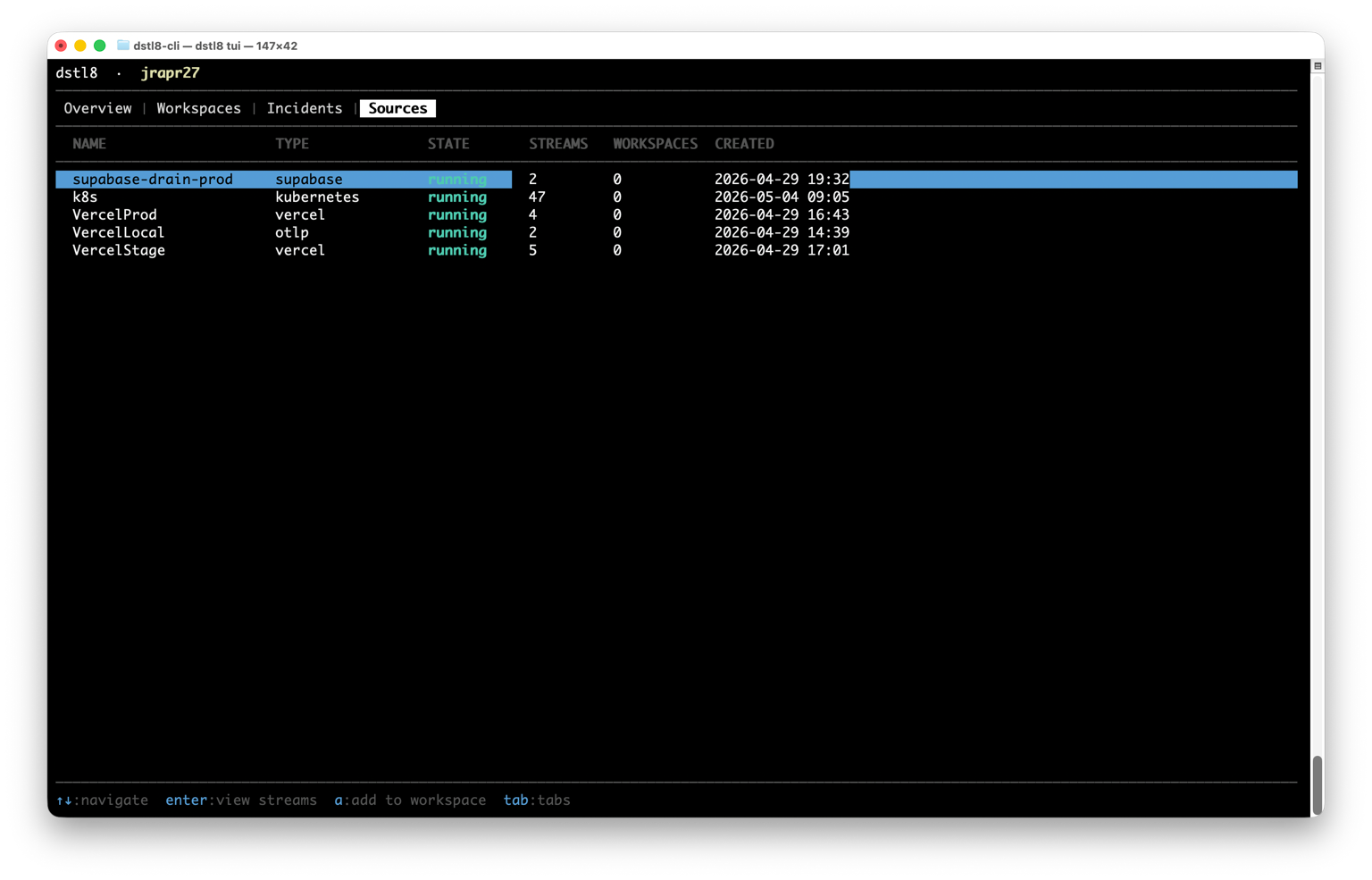
The org-level Sources tab lists every source connected to your organization. Press Enter to drill into streams, then Enter again on a stream to see its logs. Press a on any source or stream to assign it to a workspace.
Workspace dashboard
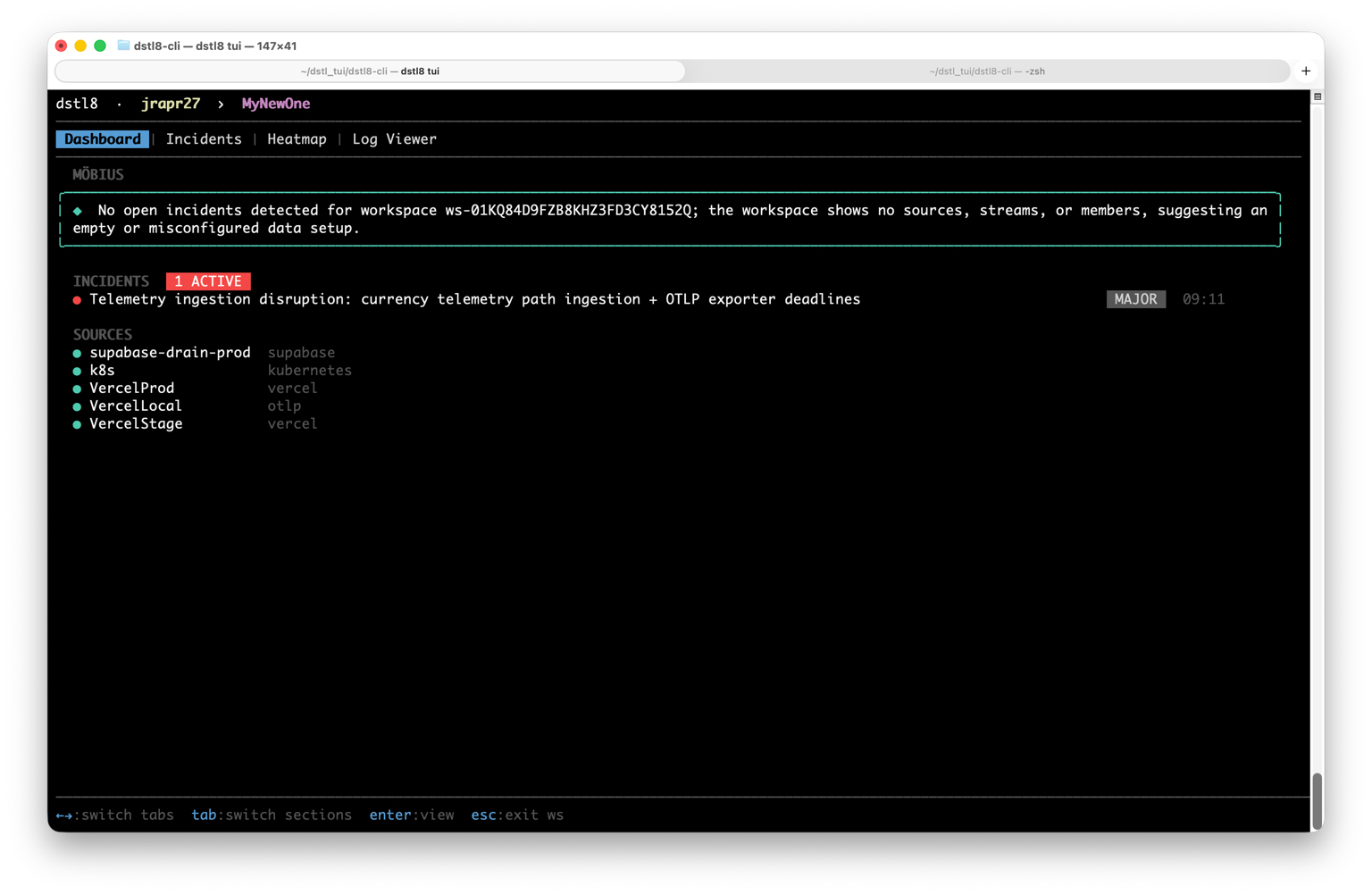
Each workspace has a Dashboard with a Möbius AI summary at the top, a list of active incidents, and the sources feeding the workspace. Press Enter on the Möbius summary for a full analysis.
Incidents
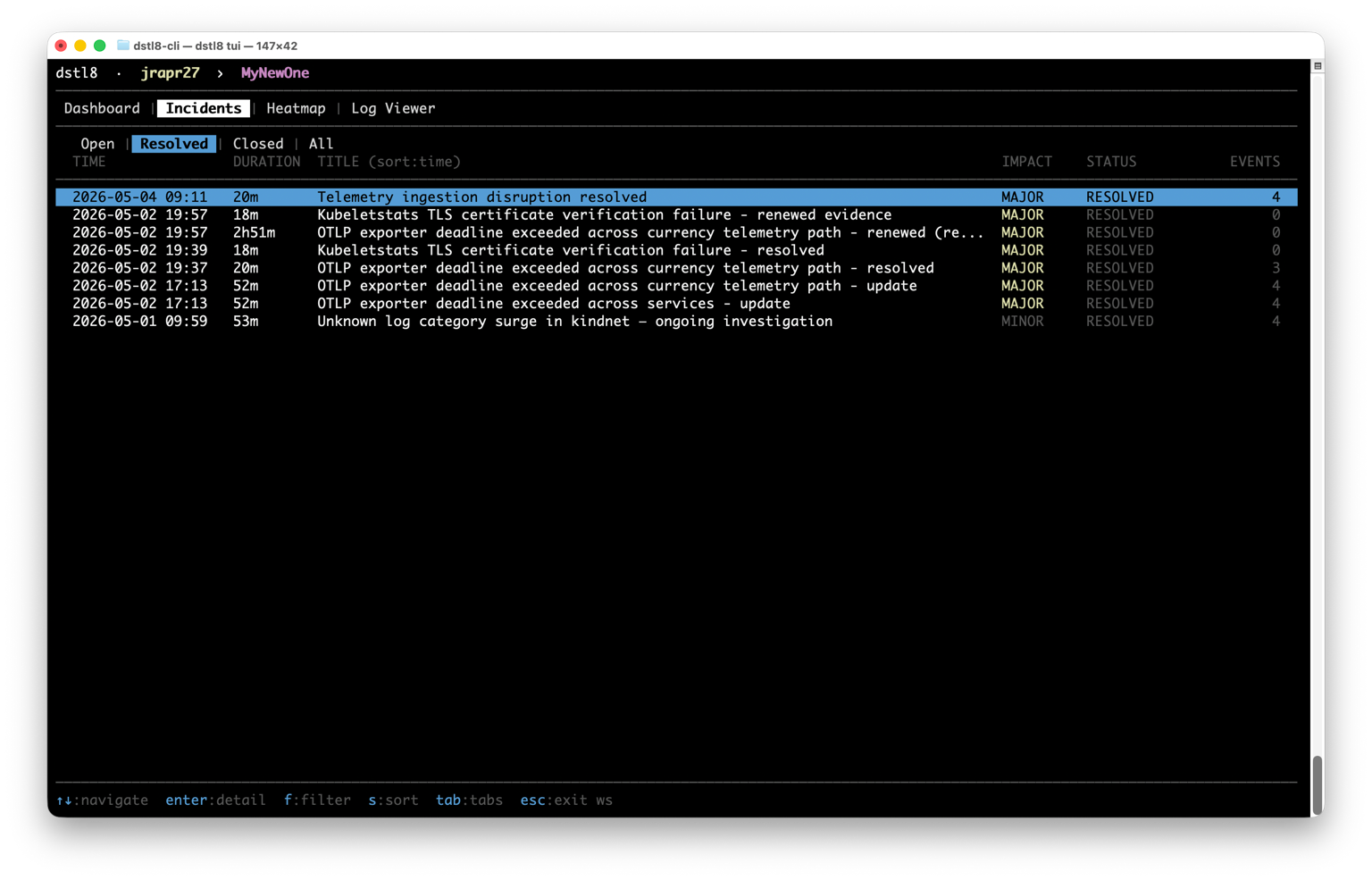
The Incidents tab is a sortable, filterable table (Open, Resolved, Closed, All). Press s to change the sort, f to cycle filters, and Enter on a row to open the incident detail view.
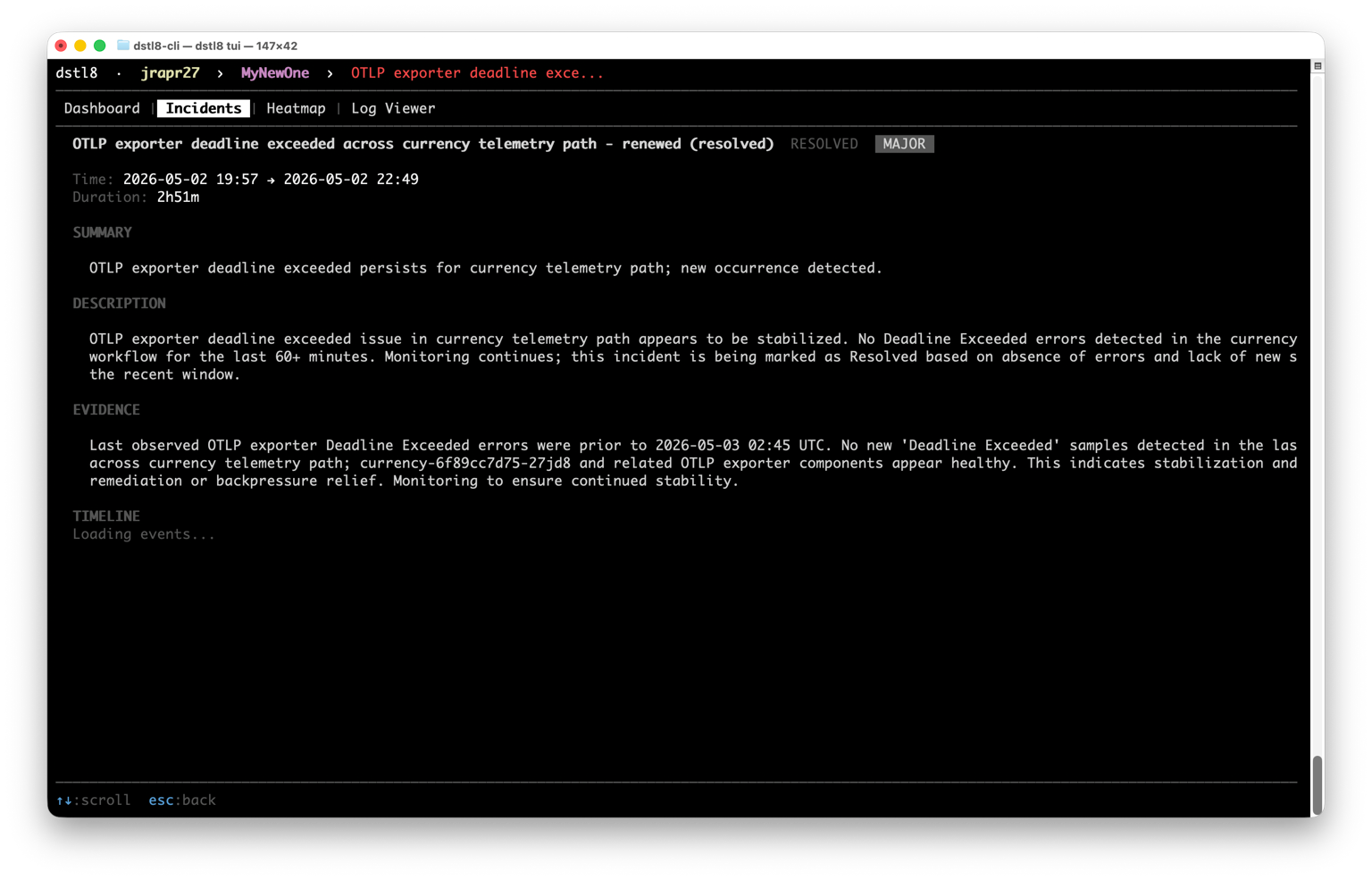
The detail view renders Möbius’s full analysis: summary, description, evidence, and recommended actions, alongside the impacted resources and event timeline.
Heatmap
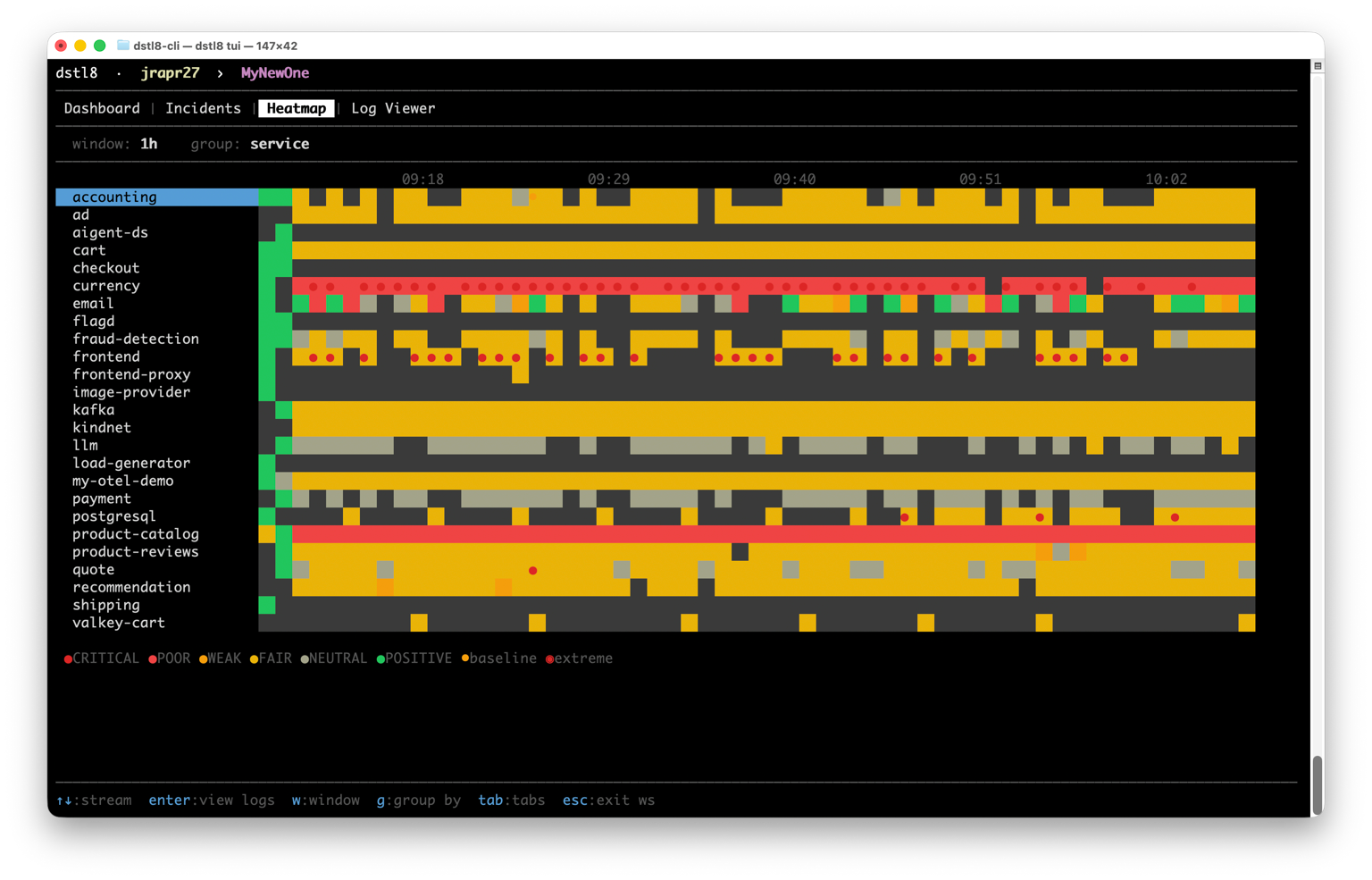
The Heatmap plots sentiment over time by stream, namespace, or service. Anomalies surface as red dots on the affected row. Press w to change the time window, g to change the grouping, and Enter on a row to view the filtered logs for that group.
Log Viewer
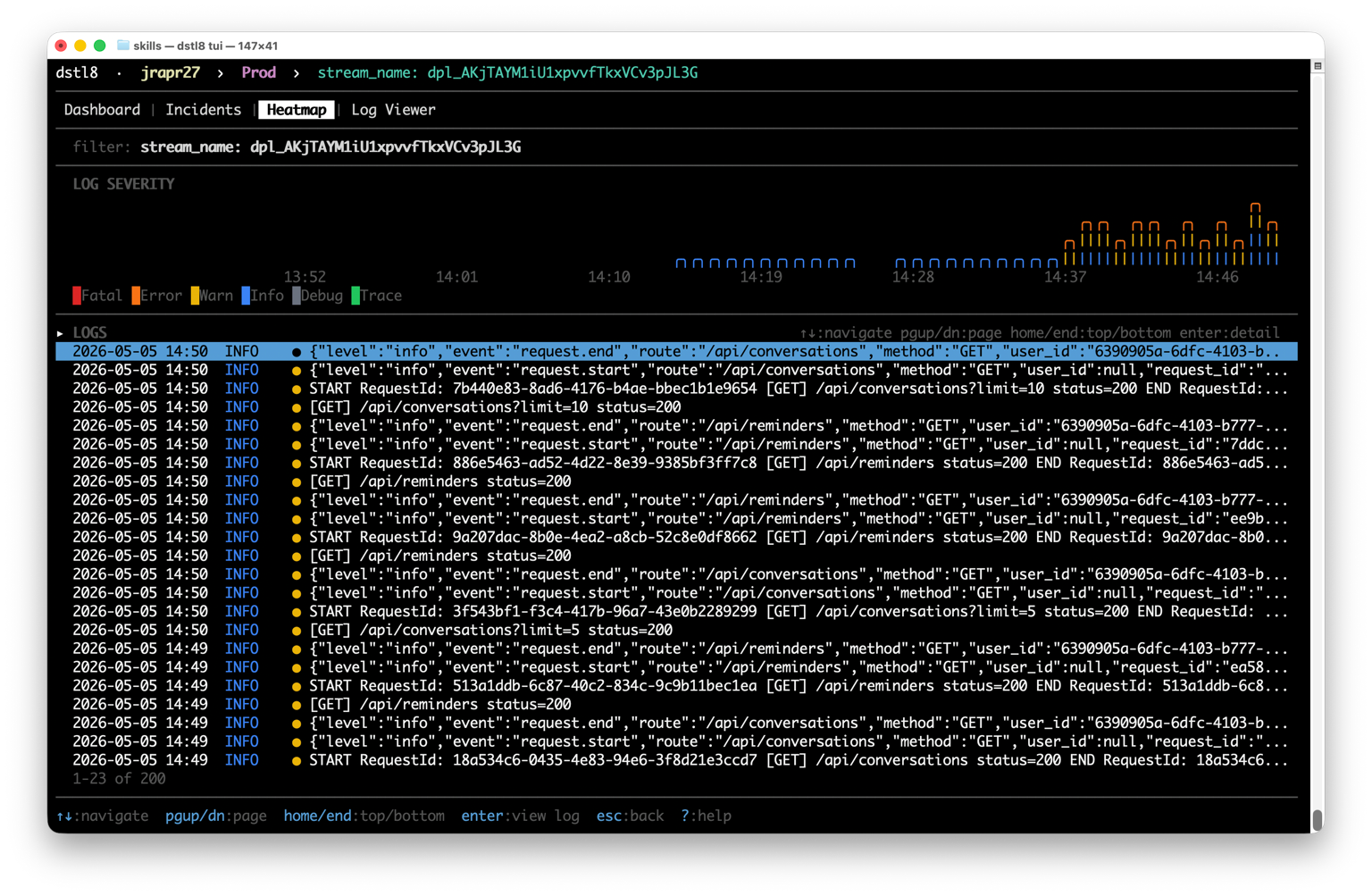
The Log Viewer combines a stacked severity bar chart (1-minute buckets) with a scrollable log table. Press Enter on a log line to open a detail modal with full metadata. c copies the body to your clipboard.
CLI commands
A handful of commands are useful outside the TUI, especially in scripts, CI pipelines, and AI agent prompts.
Tail and fetch logs
dstl8 logs tail streams logs to stdout in real time, like tail -f:
dstl8 logs tail                                       # all logs
dstl8 logs tail --source Prod -s error                # one source, errors only
dstl8 logs tail --stream-name api --search "timeout"
dstl8 logs tail -w myworkspace                        # scoped to a workspace
dstl8 logs tail -n 100                                # show last 100 first
dstl8 logs tail -f=false                              # print and exit
dstl8 logs fetch pulls a time range and exits. Useful for scripts and AI agents:
dstl8 logs fetch --start 24h -n 500 --json
dstl8 logs fetch --start 7d --end 24h --source Prod -s error
dstl8 logs fetch --start 2024-01-15
Time arguments accept relative (30m, 1h, 24h, 7d) or absolute (2024-01-15, 2024-01-15T09:30:00) values. --json produces NDJSON for piping. Filters (--source, --stream-type, --stream-name, --severity, --search) run server-side.
Sources
dstl8 sources                                       # list with stats
dstl8 sources streams <name-or-id>                  # list streams for a source
dstl8 sources tail <source>                         # tail logs from a source
dstl8 sources fetch <source> --start 24h --json     # time-bounded fetch
dstl8 sources assign <source> <workspace>           # add all streams to a workspace
dstl8 sources streams assign <src> <stream> <ws>    # add a single stream
dstl8 sources delete <id> --yes                     # delete (skip confirmation)
MCP server
Run the MCP server directly (instead of via dstl8 install):
dstl8 mcp                  # stdio MCP server using the active profile
dstl8 mcp --profile work
Profiles and workspaces
dstl8 profiles                                            # list configured profiles
dstl8 profiles remove <name>                              # remove a profile and its tokens
dstl8 switch <profile>                                    # change the active profile
dstl8 workspaces                                          # list workspaces
dstl8 workspaces create <name> --description "Production monitoring"
Workspace names are case-sensitive. The default workspace created at signup is Default (capital D). When passing a workspace name to dstl8 sources assign or other commands, copy it exactly as dstl8 workspaces prints it.
Other
dstl8 version              # version, commit, build time
dstl8 --help               # full command reference
Configuration
Configuration lives in ~/.config/dstl8/:
| File | Contents |
|---|---|
profiles.toml |
Profile definitions (org ID, org name, API URL) |
auth.json |
Authentication tokens (per org, auto-refreshed) |
config.toml |
App settings |
Use --profile <name> on any command to run it against a specific profile without switching, or set DSTL8_PROFILE to override the default profile for the shell session.
Links
License
The installer scripts and packaging in this repository are MIT licensed (see LICENSE). The dstl8 binary itself is proprietary, owned by ControlTheory, Inc., and governed by the ControlTheory Terms of Service.